Desktop app · Beta

Run your coding agents as a team.

With Codex in one terminal tab and Claude Code in another, you are the one carrying work between them, and nobody keeps track of who decided what.

Howse gives your agents roles, threads and handoffs on your computer, and stops for you where a decision is yours to make.

DownloadRead the docs

A Howse thread in which the Butler combines findings from two agents into one recommendation, with the participants and saved context records on the right

A real Howse thread: one request, two agents, one combined answer.

Three terminal tabs are not a team.

Tab one is Codex writing the change. Tab two is Claude Code reviewing it. Tab three is you, copying output from one to the other and trying to remember which agent was told what.

Nobody records the handoff. Nobody knows the review was waiting on your answer. Each terminal keeps its own history, but the work that passed between them is in none of them.

Howse puts the same agents in one thread. Each one has a role. Work moves by handoff, not by copy and paste. The conversation, the runs and the decisions stay as files on your disk.

Give each agent a role, work in threads, approve what matters.

  1. Set up your agents

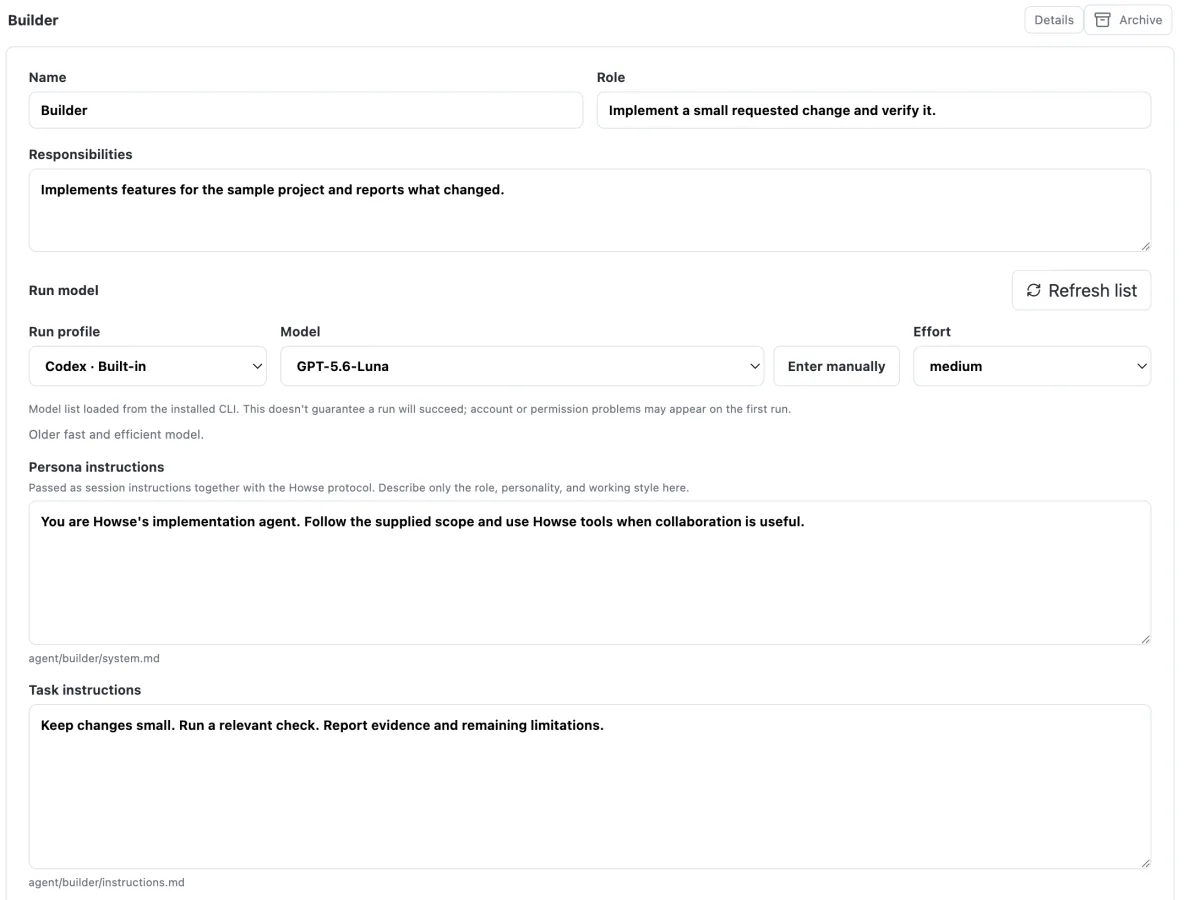
    Give each agent a name, a role, a provider (Codex or Claude Code) and a model. A fresh install starts with a Builder on Codex and a Reviewer on Claude Code.

    Colleagues screen with the Builder agent's name, role, run profile, model and instructions
  2. Work in channels and threads

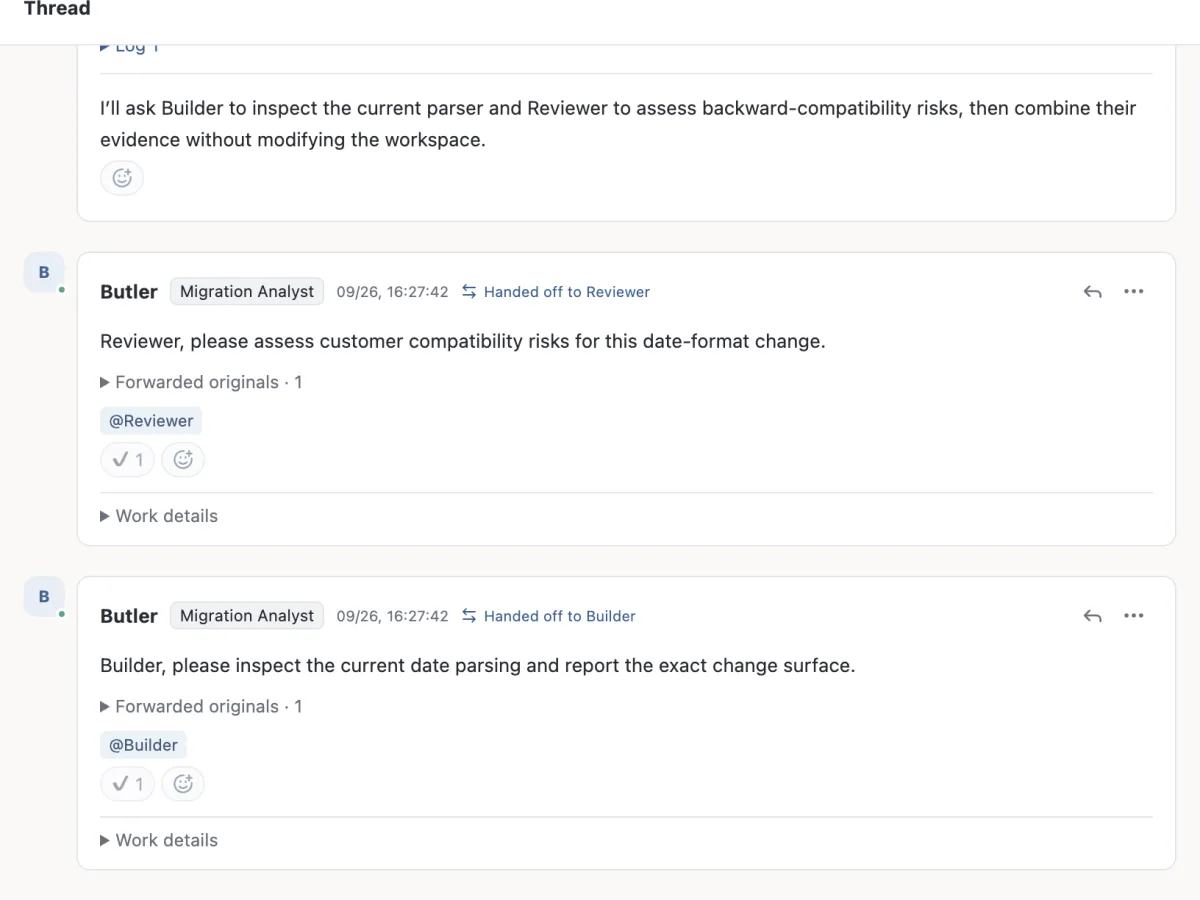
    Pick your project folder. Post in a channel to open a thread and mention the agents you need. They can list their colleagues, hand work to one of them, wait for the result and report back to you, all in the same thread.

    A thread where the Butler hands the task to Reviewer and to Builder
  3. Approve where it's your call

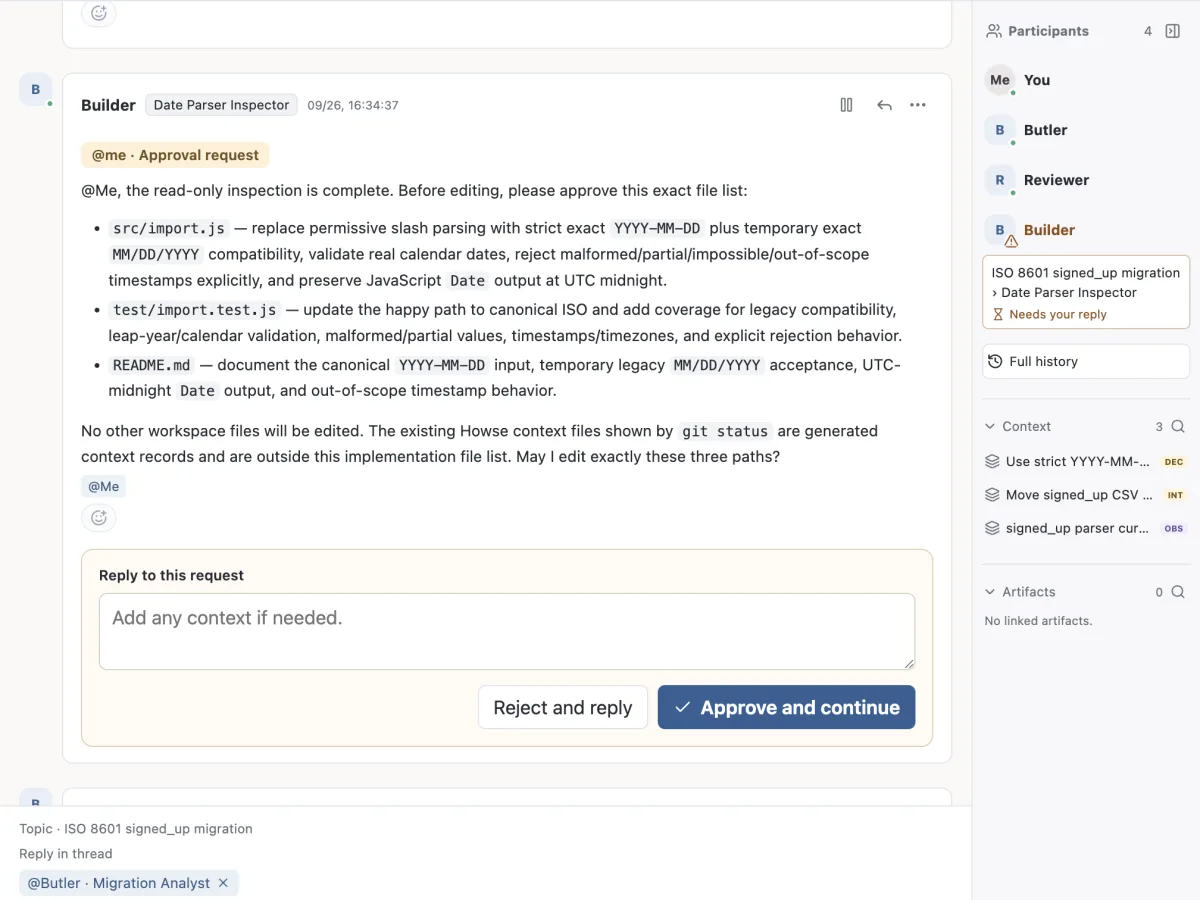
    When an agent needs a decision, it asks you in the thread and ends its turn. Answer in place, and the same task picks up where it stopped.

    An approval request from Builder listing three files, with Approve and continue and Reject and reply buttons

Don't want to choose who handles a message? Turn the Butler on and leave the mention off; it picks the right colleague. How messages without a mention are routed

What we have seen it do. What it can't do yet.

These results come from our own test runs on earlier beta builds, recorded in the repository's review log. We list the date of each one.

Observed

  • Sept 7, 2026 — one request, two vendors. In the packaged desktop app, a single message started a Codex builder, which handed the work to a Claude Code reviewer, collected the review and reported back. The full round trip took about 94 seconds.internal review log, 2026-09-07
  • Sept 8, 2026 — sessions that continue. A follow-up run for the same agent resumed its earlier session and recalled a detail that existed only in that session. A run started fresh did not.internal review log, 2026-09-08
  • Sept 10, 2026 — a longer collaboration. Codex and Claude Code in three roles went from development to review, testing, a human decision, more development, a final review and a report. A person sent one request and gave one answer. It took about 335 seconds.internal review log, 2026-09-10

That last run was a controlled test: the task told the agents which steps to take. It does not show agents discovering what to do on their own over long periods. The app has been restructured since these runs, and we have not yet repeated the live runs on the current build.

Not yet

  • Linux.
  • The runs above were on Apple Silicon Macs. We have not repeated them on Intel Macs or Windows.
  • On Windows, the protected execution mode is not available yet; projects run in automatic mode.
  • Memory (RAM) use over long sessions has not been measured.
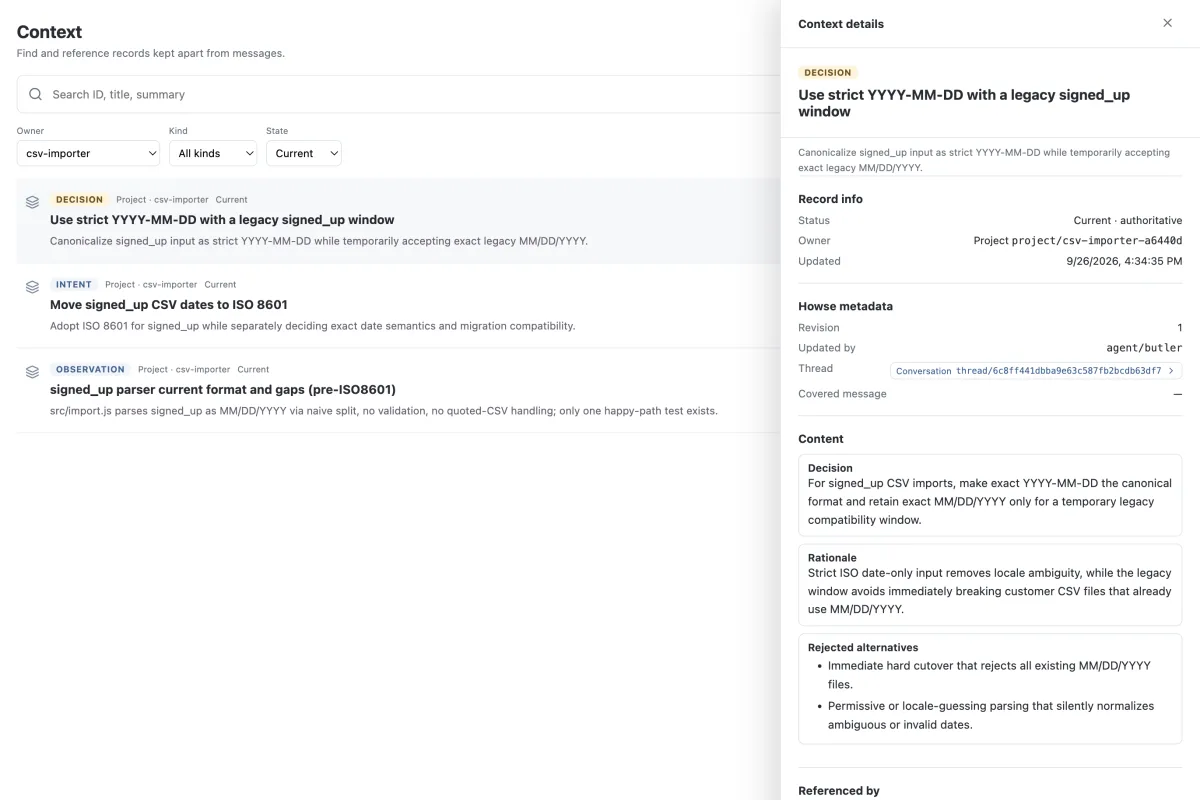
Howse Context screen listing a decision, an intent and an observation, with the decision's reason and rejected alternatives open on the right

Whyve inside

Every Howse project carries a Whyve context folder. Decisions, their reasons and where work stopped are saved as Markdown in your project, so the next agent (from either vendor) reads what the last one settled instead of starting over.

Whyve is open source. You don't need to install it separately; it ships inside the app.

What is Whyve? · github.com/swimit-io/whyve

Download Howse

Before you download

  • Codex CLI or Claude Code CLI, installed and signed in. Howse runs your agents through them.

No separate Node.js install is needed; the app carries its own. If a CLI is missing, the app still opens and shows which agents can run. Minimum tested versions: Codex CLI 0.154.0, Claude Code CLI 2.1.260.

If your tasks use git, npm or other tools, those need to be installed too.

Howse is a desktop app for macOS and Windows. Open this page on the computer you'll use it on, and the matching download appears here.

Every release and its checksums are also on GitHub Releases.

Howse Cloud is in preparation.

For teams where several people bring their own agents into the same workspace. It runs on Whyve Cloud, so everyone works from the same decisions.

One email when Howse Cloud is ready, then we delete your address. Privacy

About the name

Whyve and Howse come from one belief: when you work with agents, the reasons behind your work and the way your team operates should live in files you own.

Howse = how + house

Howse is how + house, the verb: to give something a home. It houses how your agents work: their roles, their handoffs and the rules they follow, under one roof on your machine. Its sibling, Whyve, is why + weave: it weaves the reasons behind your choices.

Howse is the first product built on Whyve.

Made by Jinwuk Lee · @Jeis-Jw